

How to Plan Repeat Printing Orders for Multiple Branches
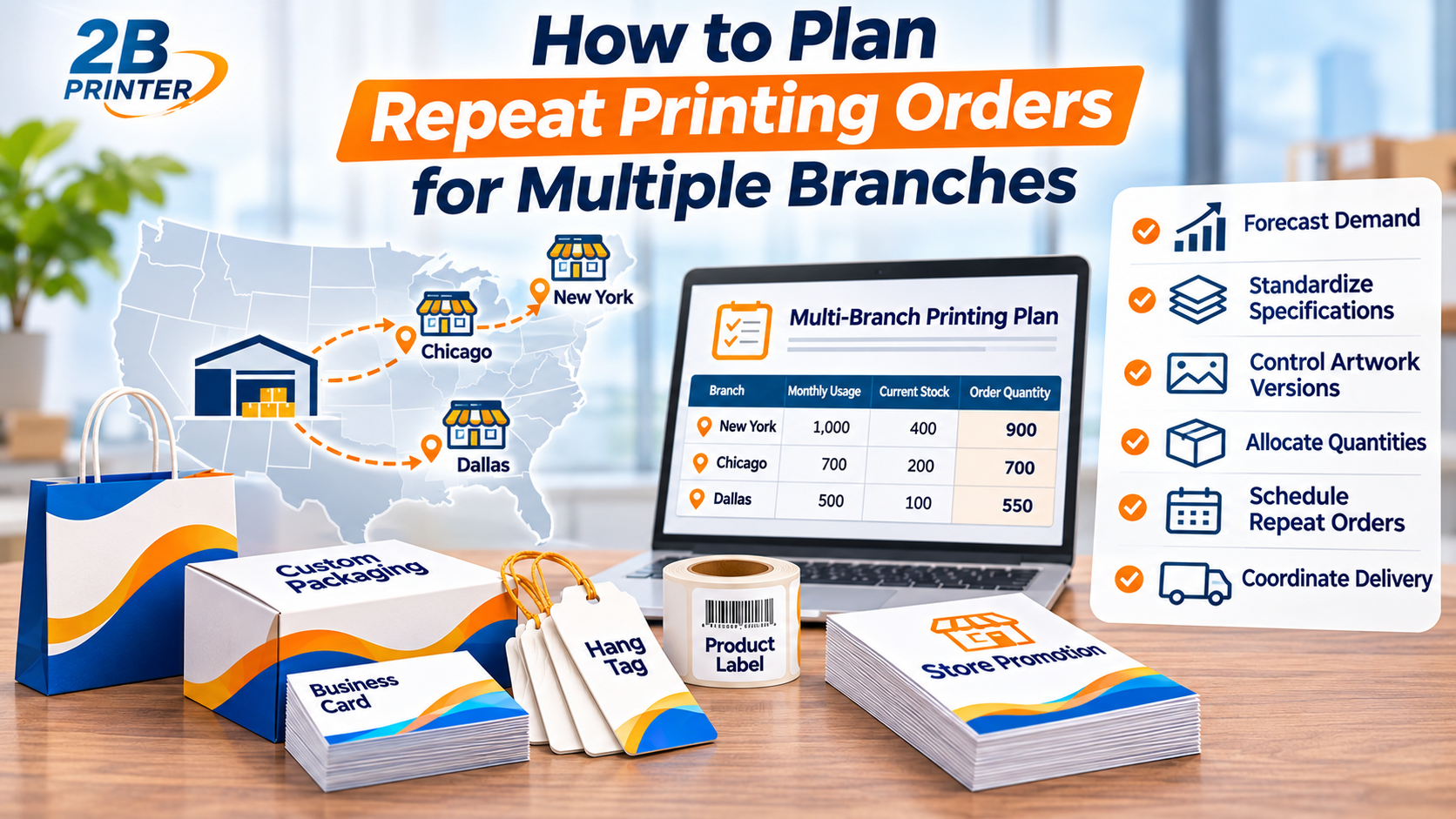
Managing printing orders for multiple business branches requires more than purchasing the same printed products repeatedly. Businesses must forecast location-level demand, maintain consistent artwork and specifications, allocate quantities, coordinate deliveries and schedule replenishment before individual branches run out of supplies. A centralized repeat-order system helps retailers, franchises, manufacturers and multi-location companies organize these activities while maintaining consistent brand presentation.
A company operating several stores may need product labels, shopping inserts, hang tags, brochures and promotional materials at different locations. Although the products may share the same branding, each branch can have different consumption rates, inventory levels and delivery requirements.
Without a structured process, companies may experience duplicate purchases, excess inventory at some locations, shortages at others, outdated artwork and unnecessary shipping expenses.
This guide explains how to plan recurring printing orders across multiple branches, from demand forecasting and quantity allocation to artwork control, purchasing schedules and delivery coordination.
1. Understand Your Multi-Branch Printing Requirements
Start by identifying which printed materials each business location requires and how frequently those products need replenishment.
A retail store may regularly consume price tags, product labels and promotional flyers, while a corporate office may need business cards, presentation folders and brochures. A warehouse or manufacturing facility may require product identification labels, packaging inserts and other operational materials.
Identify the Printing Requirements of Every Location
Prepare a location-by-location product list covering:
- Branch identification: Store number, branch name, city and state.
- Product categories: Hang tags, labels, cards, packaging, brochures, flyers or other materials.
- Monthly usage: The quantity normally consumed by each location.
- Current inventory: The usable quantity currently available at each branch.
- Replenishment frequency: How often each product needs to be reordered.
- Special requirements: Local promotions, branch-specific addresses or customized information.
- Delivery details: The destination, receiving contact and delivery instructions.
This information helps distinguish products that can be standardized across the entire organization from those that require branch-specific printing.
2. Create a Centralized Printing Management System
One of the most effective ways to manage recurring printing purchases is to establish a centralized process for approving products, specifications, artwork and purchasing requirements.
Without centralized management, individual branches may submit separate orders using different artwork versions, inconsistent materials or unapproved suppliers.
Assign Clear Responsibilities
| Responsible Team | Main Responsibility |
|---|---|
| Head Office / Procurement | Approve suppliers, coordinate bulk requirements and manage purchasing budgets. |
| Marketing / Brand Team | Maintain approved artwork, brand colors, logos and design versions. |
| Branch Managers | Report inventory, consumption, upcoming needs and delivery requirements. |
| Warehouse / Operations | Manage stock receiving, storage, allocation and internal distribution. |
| Printing Supplier | Review specifications, quote projects and coordinate agreed production and delivery. |
The head office should maintain one approved source of product specifications and artwork. Branches can submit their requirements through a shared spreadsheet, inventory platform or purchasing process.
This allows the business to combine demand without allowing every branch to independently change the approved design or material.
3. Calculate Printing Demand for Each Branch
Repeat printing quantities should be based on actual usage, current stock and the time required to replenish inventory. Ordering the same quantity for every branch can create unnecessary costs if some locations consume significantly more printed materials than others.
Collect Branch-Level Inventory Data
For each product at each location, record:
- Average weekly or monthly consumption.
- Current usable inventory.
- Stock already committed to upcoming campaigns or orders.
- Expected demand during the next purchasing period.
- Expected production and delivery lead time.
- Desired safety stock.
Calculate the Required Reorder Quantity
Consider a business that operates three stores and uses the same branded product cards at each location.
Example: Branch-Level Product Card Requirements
| Branch | Monthly Usage | Current Stock | Safety Stock | Required Order |
|---|---|---|---|---|
| New York | 1,000 | 400 | 300 | 900 |
| Chicago | 700 | 200 | 200 | 700 |
| Dallas | 500 | 100 | 150 | 550 |
| Total | 2,200 | 700 | 650 | 2,150 |
In this example, the company needs a total of 2,150 additional product cards, assuming the planning period is one month and the inventory figures are accurate.
Rather than ordering 1,000 pieces for every location, the organization allocates quantities according to actual branch requirements.
4. Build a Repeat Printing Forecast
A repeat printing forecast helps purchasing teams estimate future requirements before individual branches run out of stock. It also helps the business determine when to consolidate demand into a larger purchasing project.
Use Historical Consumption Data
Review previous usage records for each printed product. Examine monthly consumption, seasonal peaks, product launches, promotional campaigns and changes in branch activity.
For example, a retailer may consume more product labels during holiday sales periods, while a franchise may require additional promotional flyers when new services or offers are introduced.
Forecast Demand Using a Simple Method
A company using 2,500 product labels per month may initially forecast 7,500 labels for a three-month planning period. The estimate should then be adjusted for existing usable inventory, expected demand changes and safety stock.
Use a Reorder Point
A reorder point helps determine when inventory has fallen low enough that the next printing order should be initiated.
For example, assume a location uses 35 printed product inserts per business day, the confirmed replenishment lead time is 12 business days and the desired safety stock is 100 units.
The reorder point would be:
(35 × 12) + 100 = 520 units.
When usable inventory approaches 520 units, the purchasing team should begin the replenishment process.
If your supplier’s lead time changes, review the reorder point rather than continuing to use the old inventory threshold.
5. Standardize Printing Specifications Across All Locations
When multiple branches order the same printed product, they should use one approved technical specification unless a genuine product or location requirement makes a variation necessary.
Standardization makes repeat purchasing easier because the business does not need to redefine the product every time an order is placed.
Create a Master Product Specification
For each recurring print product, record:
- Product name and internal product code.
- Finished dimensions and shape.
- Material type and thickness.
- Printing requirements and number of print sides.
- Approved brand colors.
- Finishing and construction details.
- Packaging and bundling requirements.
- Approved artwork file and revision number.
Example: Standardized Printing Specification
| Specification | Master Requirement |
|---|---|
| Product Code | PC-001 |
| Product | Branded Product Card |
| Finished Size | Approved master dimensions |
| Material | Approved card stock reference |
| Printing | Approved color and print-side configuration |
| Finishing | Approved surface and construction |
| Artwork Version | PC-001-V03 |
| Approval Status | Approved for repeat production |
Once the master specifications are approved, branches should reference the same product code when requesting additional quantities.
If a specification changes, issue an updated master record instead of allowing branches to use different versions.
For products such as custom hang tags and header cards, the master specification should include dimensions, stock, print sides, finish and hole or attachment requirements.
6. Control Artwork and Version Changes
Artwork inconsistency is a common source of problems in multi-location printing operations. A branch may accidentally reorder an old design, submit an outdated logo or use promotional material that no longer reflects current business information.
Create a Central Artwork Library
Maintain a central location for approved files. Each artwork file should be linked to its product code, specification and approval date.
Use a clear naming structure, for example:
Example: PC-001_Product-Card_V03_APPROVED.pdf
Separate Standard and Branch-Specific Artwork
Some print materials can use identical artwork across every location. Other products require location-specific information.
Examples of branch-specific information include:
- Branch address and ZIP code.
- Local phone number and contact details.
- Store-specific QR codes.
- Regional promotions or campaign dates.
- Location-specific business hours.
- Local pricing or product information.
Keep the core brand design consistent while maintaining separate approved artwork for legitimate local variations.
Establish an Artwork Approval Process
- The marketing team prepares or updates the artwork.
- The responsible manager checks branding and content.
- The purchasing or operations team confirms the correct product version.
- The final proof is approved before production.
- The approved file is stored in the central artwork library.
For print-ready artwork, follow the 2B Printers Artwork Guidelines, including correct finished size, resolution, color setup, bleed and font preparation.
7. Allocate Printing Quantities Across Branches
Once the business has established the total order quantity, it must determine how the finished printed materials will be divided between locations.
A centralized purchase does not mean every location needs to receive the same quantity. Allocate materials according to branch-level demand, current stock and planned usage.
Prepare a Branch Allocation Matrix
| Location | Product Code | Allocated Quantity | Shipment Type |
|---|---|---|---|
| New York Store | PC-001 | 900 | Direct to branch |
| Chicago Store | PC-001 | 700 | Direct to branch |
| Dallas Store | PC-001 | 550 | Direct to branch |
| Total | PC-001 | 2,150 | 3 destinations |
This matrix gives the purchasing and fulfillment teams a clear record of how the total quantity is distributed.
Decide Between Centralized and Direct Distribution
Businesses generally have two practical fulfillment approaches:
Option A: Central Warehouse Delivery
The complete order is delivered to a central warehouse or distribution center. The company then stores and distributes the printed materials to individual branches.
This approach may suit businesses that:
- Already operate a centralized warehouse.
- Want to inspect and sort products before branch distribution.
- Regularly consolidate multiple suppliers’ shipments.
- Need central control over inventory allocation.
Option B: Direct-to-Branch Delivery
The order is divided into separate shipments for individual business locations.
This approach may suit businesses that:
- Do not want to manage additional warehouse handling.
- Have branches with different receiving schedules.
- Need materials delivered close to their intended usage dates.
- Can provide accurate individual shipping information.
8. Create a Repeat Printing Schedule
A repeat printing schedule helps businesses plan purchasing activities before inventory shortages occur. It also gives the procurement team enough time to consolidate requirements, approve artwork and coordinate production.
Build a Recurring Order Calendar
Your calendar should track the expected dates for inventory review, demand consolidation, order placement, proof approval, production completion and delivery.
Example: Quarterly Printing Schedule
| Activity | Suggested Timing | Responsible Team |
|---|---|---|
| Branch Inventory Review | Week 1 | Branch Managers |
| Demand Consolidation | Week 1 | Procurement |
| Specification and Artwork Check | Week 2 | Marketing / Procurement |
| Quote and Order Approval | Week 2 | Purchasing Manager |
| Production and Proof Approval | Supplier-confirmed schedule | Supplier / Marketing |
| Delivery and Receiving | Supplier-confirmed schedule | Warehouse / Branches |
The schedule above is an example of an internal planning cycle, not a guaranteed printing or delivery timeline. Production dates should be based on the supplier’s confirmed project schedule.
Adjust the Schedule for Seasonal Demand
If your business experiences seasonal demand, review the printing calendar before major sales periods, holidays, product launches and promotional campaigns.
For example, a retail chain may need to order additional promotional flyers before a major holiday campaign. A clothing retailer may require updated hang tags before introducing a new collection.
Schedule these requirements separately from standard replenishment so that special campaigns do not disrupt regular branch inventory planning.
9. Coordinate Multi-Location Printing Delivery
Delivery coordination becomes more complicated when printed materials must reach multiple locations across different U.S. states and ZIP codes.
Do not treat shipping as a final administrative detail. Delivery requirements should be part of the order plan before production and packaging are confirmed.
Create a Delivery Matrix
For every shipment, record:
- Branch name and internal location code.
- Complete street address, city, state and ZIP code.
- Receiving contact and phone number.
- Allocated product quantities.
- Number of cartons, when known.
- Required delivery date or receiving window.
- Special access or unloading instructions.
Example of a Multi-Location Shipping Plan
| Destination | State | Product | Quantity | Receiving Contact |
|---|---|---|---|---|
| New York Branch | New York | Product Cards | 900 | Store Manager |
| Chicago Branch | Illinois | Product Cards | 700 | Store Manager |
| Dallas Branch | Texas | Product Cards | 550 | Store Manager |
These are sample planning entries. Actual shipping addresses and contact information should be confirmed before dispatch.
Define Packaging Instructions by Destination
When the same product is distributed to several branches, label cartons clearly so receiving teams can identify the correct destination and quantity.
Include the product code, branch number, carton sequence and quantity wherever appropriate. For example, a carton label might identify Branch NY-01, Product PC-001 and Carton 1 of 3.
Ask the supplier to confirm how split shipments will be packed, labeled and documented. Also check whether shipping charges are calculated separately for each destination.
10. Maintain Consistent Printing Quality Across Repeat Orders
A business with multiple branches should aim to maintain the same approved product specifications across each repeat production cycle.
However, simply reusing an old artwork file does not guarantee that the next production batch will automatically meet every requirement. Specifications, materials, finishing and quality expectations should be confirmed for each purchase.
Maintain an Approved Quality Reference
- Keep the approved product specification sheet.
- Retain the approved artwork and revision number.
- Record the accepted material and finishing references.
- Document approved proofs or physical samples where applicable.
- Check product dimensions and finishing after delivery.
- Record defects, shortages and corrective actions.
Use a Branch Receiving Checklist
Each branch or warehouse should inspect incoming materials against the original purchase order and delivery allocation.
- Confirm that the correct branch received the shipment.
- Check the product code and artwork version.
- Verify the delivered quantity.
- Inspect visible printing and finishing quality.
- Check for damage during transportation.
- Report discrepancies to the central purchasing team.
Centralized reporting allows the company to identify recurring production or packaging issues instead of handling them separately at each location.
For an established product quality standard, see 2B Printers’ artwork preparation guide and confirm product-specific requirements before repeat production.
11. Control Repeat Printing and Distribution Costs
Repeat printing orders can create purchasing efficiencies when demand is consolidated, specifications are standardized and unnecessary reprints are avoided. However, larger orders are not automatically less expensive once storage, handling and multi-location delivery are included.
Evaluate the Complete Cost of Each Replenishment Cycle
Include the costs associated with moving products from the supplier to the branches, whether that involves direct delivery or internal warehouse distribution.
Use Consolidated Purchasing Where Practical
When several branches require identical products around the same time, the procurement team can combine their requirements into one purchasing project.
For example, three stores may need the same branded hang tags. Instead of managing three separate product specifications, the business can consolidate the quantities while maintaining separate branch allocation and shipment instructions.
Avoid Unnecessary Overstock
Ordering more printed products than the business can reasonably use may tie up working capital and create storage requirements. This is especially risky for promotional materials containing dates, seasonal messaging, prices or location-specific information.
Use demand forecasts and reorder points to determine the quantity that makes financial and operational sense.
Review Costs During Every Reorder
Compare each new quotation with the previous purchase. Check for changes in:
- Material and production pricing.
- Setup and tooling charges.
- Finishing and packaging costs.
- Shipping rates and destination charges.
- Required quantities and production conditions.
Do not assume previous pricing remains valid. Confirm current project-specific pricing before approving each repeat order.
12. Build a Repeat Printing Order Tracking System
Businesses that purchase printed products regularly should maintain a central record of orders, stock levels, artwork versions, branch allocations and supplier information.
A shared spreadsheet can be sufficient for a smaller organization. Larger companies may use an inventory management system, purchasing platform or enterprise resource planning system to track the same information.
Recommended Tracking Fields
| Tracking Field | Purpose |
|---|---|
| Order Number | Identify each purchasing cycle. |
| Product Code | Identify the correct printed product. |
| Artwork Version | Prevent use of outdated designs. |
| Branch ID | Identify the destination location. |
| Opening Inventory | Record stock before replenishment. |
| Usage | Monitor consumption by location. |
| Reorder Quantity | Track required replenishment. |
| Order Date | Monitor purchasing frequency. |
| Expected Delivery | Monitor planned arrival. |
| Receiving Status | Track delivered and inspected quantities. |
| Supplier and Cost | Evaluate recurring project costs. |
Monitor These Operational Metrics
- Stockout frequency: How often a branch runs out of printed materials.
- Inventory turnover: How quickly printed products are consumed.
- Order lead time: Time between initiating the order and receiving the materials.
- On-time delivery rate: Percentage of deliveries received by the agreed date.
- Order accuracy: Whether the correct products and quantities were delivered.
- Reprint frequency: How often products need to be reprinted because of design, specification or quality problems.
Monitoring these metrics helps purchasing teams improve inventory planning and identify where changes are needed.
13. Multi-Branch Repeat Printing Order Template
Use the following template to organize recurring printing purchases. It can be adapted into a spreadsheet for multiple products and delivery locations.
A. Company Information
Company Name: [Business Name]
Central Purchasing Contact: [Name]
Contact Email: [Email]
Order Reference: [Order Number]
Ordering Period: [Monthly / Quarterly / Seasonal]
B. Product Information
Product Name: [Product Name]
Product Code: [SKU / Internal Code]
Artwork Version: [Approved File Version]
Finished Dimensions: [Width × Height]
Material: [Approved Material]
Printing: [Color / Print Sides]
Finishing: [Required Finish]
Packaging: [Quantity per Carton / Instructions]
C. Branch Inventory and Allocation
Branch ID: [Location Code]
Branch Name: [Location Name]
City / State / ZIP: [Delivery Location]
Monthly Usage: [Units]
Current Inventory: [Units]
Safety Stock: [Units]
Required Quantity: [Units]
D. Order and Delivery Information
Supplier: [Supplier Name]
Order Date: [Date]
Required Delivery Date: [Date]
Delivery Method: [Central Warehouse / Direct to Branch]
Receiving Contact: [Contact Name]
Tracking Reference: [Shipment Reference]
E. Quality and Approval
Master Specification Approved: [Yes / No]
Artwork Approved: [Yes / No]
Sample Approved: [Yes / No / Not Required]
Inspection Status: [Pending / Accepted / Issue Reported]
Additional Instructions: [Notes]
For larger businesses, create one row for each product and branch combination. This makes it easier to filter orders by location, product code, supplier and delivery status.
14. Common Mistakes When Managing Printing Orders Across Multiple Branches
Even businesses with established purchasing teams can experience problems when repeat orders are not properly coordinated.
- Ordering identical quantities for every location: Branch demand should be based on actual consumption and inventory.
- Allowing multiple artwork versions: Maintain approved master files and control design revisions.
- Ignoring local information: Branch-specific contact details, addresses and promotional content require separate checks.
- Waiting until inventory runs out: Use reorder points and supplier lead times to plan replenishment earlier.
- Sending incomplete delivery details: Verify each branch address and receiving contact.
- Failing to label cartons: Identify branch allocations clearly before dispatch.
- Combining unrelated products without proper records: Maintain individual product codes and specifications.
- Skipping receiving inspections: Confirm quantities and quality at every destination.
- Assuming old prices remain unchanged: Review current pricing and production terms during each reorder.
- Not reviewing inventory history: Use previous consumption records to improve the next forecast.
15. How 2B Printers Can Support Your Business Printing Requirements
Businesses with ongoing printing needs require clearly defined product specifications, organized order quantities and reliable communication throughout the purchasing process.
2B Printers focuses on custom printing and packaging solutions for business customers across the USA, including bulk and repeat-order projects.
Depending on your project requirements, you can discuss products such as:
- Custom Hang Tags and Header Cards for apparel, retail merchandise and product presentation.
- Custom Labels and Stickers for product identification and packaging.
- Custom Printed Packaging for retail and product packaging requirements.
- Flyers and Postcards for branch promotions, announcements and customer campaigns.
When requesting a repeat printing project, provide the product codes, approved artwork, individual branch quantities, packaging requirements and delivery destinations.
The 2B Printers team can review the project information and discuss the relevant specifications and quotation requirements.
Frequently Asked Questions About Repeat Printing Orders for Multiple Branches
1. How do businesses manage repeat printing orders for multiple branches?
Businesses can manage repeat printing orders through centralized purchasing, branch-level inventory tracking, approved product specifications, controlled artwork files and a recurring replenishment schedule. Each location should report its usage and inventory so the central team can calculate accurate order quantities.
2. Should all branches order the same quantity of printed materials?
No. Each branch should receive a quantity based on its consumption rate, current inventory, expected demand and safety stock. Locations with higher sales or usage may require more materials than smaller branches.
3. How do I calculate printing quantities for multiple locations?
Calculate the expected usage for each branch, add the required safety stock and subtract its current usable inventory. Add the individual branch requirements to determine the total printing quantity for the purchasing project.
4. Is it better to place one printing order for all branches?
A consolidated order may simplify purchasing when branches need the same products and specifications. However, the business must compare the total production, packaging, shipping and inventory costs. Separate orders may be more practical when products, timing or specifications differ significantly.
5. How can businesses maintain consistent branding across locations?
Maintain a centralized library of approved artwork, logos, brand colors, product specifications and file versions. Require branches to use the approved files and obtain authorization before introducing any location-specific design changes.
6. Can a printing supplier send the same order to multiple branch locations?
This depends on the supplier’s fulfillment capabilities and agreed shipping arrangements. Provide separate delivery addresses and quantity allocations for each location, then confirm whether split shipments are available and what additional freight or handling costs may apply.
7. How often should businesses reorder printed materials?
Reorder frequency depends on branch consumption, inventory capacity, production lead time, shipping time and seasonal demand. Monthly or quarterly reviews are possible planning approaches, but the actual reorder schedule should be based on product-specific inventory data.
8. How can I prevent branches from using outdated printed materials?
Use product codes, artwork revision numbers, central file access and controlled approval procedures. Remove outdated files from active ordering folders and identify the approved version clearly in each repeat purchase order.
9. What information should I provide for a repeat printing quotation?
Provide the product name, previous or approved specifications, quantity by product and branch, artwork version, finishing requirements, packaging instructions, delivery addresses and required dates. Mention any changes from your previous order so the supplier can review them.
10. Can 2B Printers help with bulk and repeat printing projects?
2B Printers is positioned for business, bulk and repeat printing projects. Businesses can submit their product requirements, quantities, specifications and artwork through the Request a Quote page for project review and pricing.
Planning Repeat Printing Orders for Multiple Locations?
Organize your products, branch quantities, artwork and delivery requirements before your next purchasing cycle. Share your multi-location printing project with 2B Printers and discuss the right custom printing and packaging requirements for your business.
Request a Business Printing Quote →